How we choose GPUs for a training job
· Nodeox
Which GPUs should we use for this training job? Before comparing speed, we want to know whether the model fits, whether the software path works, and how the hosts will work together.
We’ve brought more of that decision into the Nodeox Workbench: a host chooser, memory-fit estimates and a runtime forecast that can be compared with the completed run. Here’s the sequence we use, with a recent full fine-tuning run as the worked example.
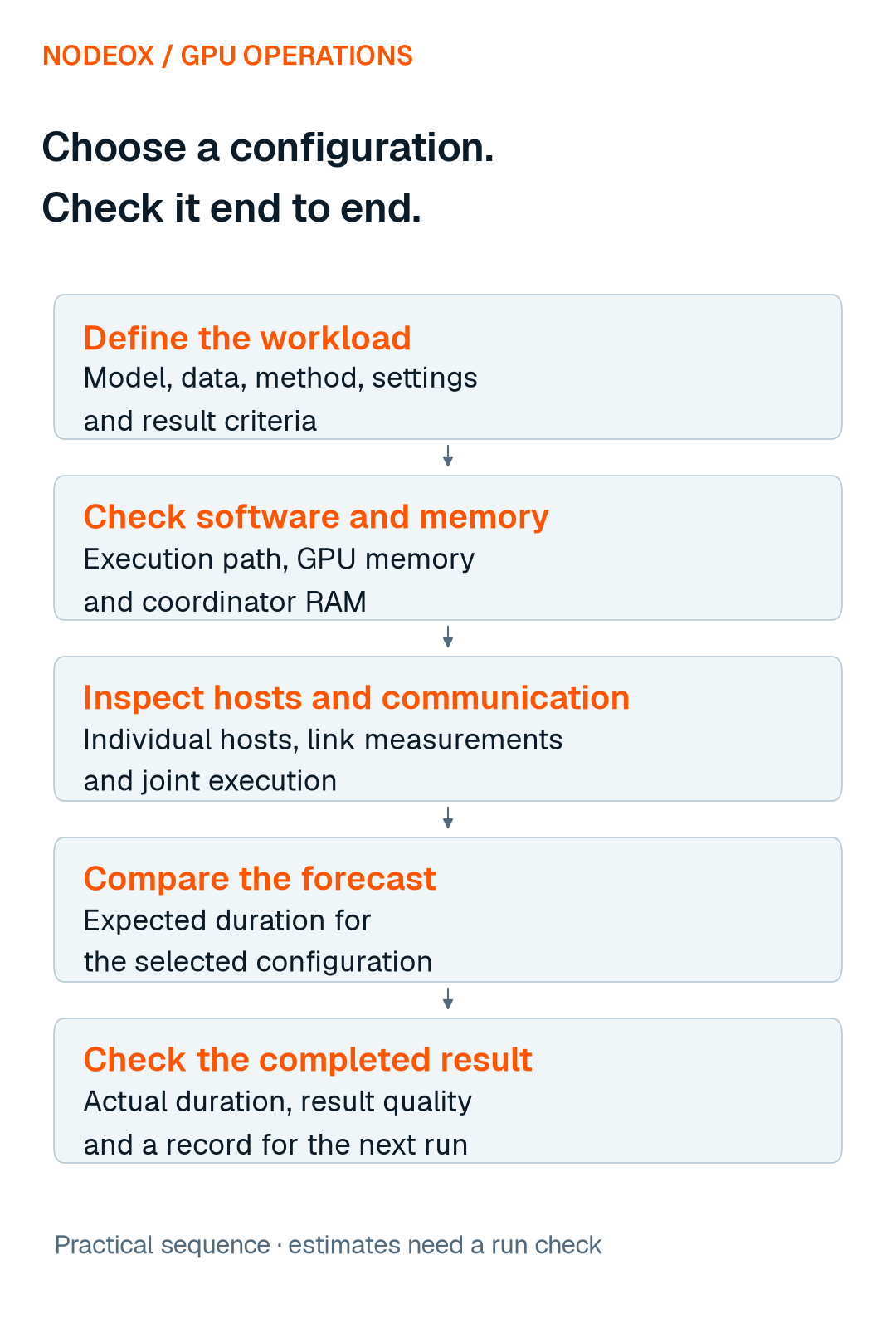
Start with the job you intend to finish
Write down the model and version, dataset, training method, batch size, precision and amount of work. Decide how you will check the result. These settings give a GPU comparison its meaning.
A smaller batch can change what fits. A different precision can change memory use and performance. Running inference says little about the resources needed for a full fine-tune. We keep the intended configuration attached to the comparison so that a promising device is tested on the work we actually need.
Check software and memory fit before comparing speed
First, check that the required operations, data types and software versions have a supported execution path. If a backend uses CPU fallback, account for its transfers and timing. Seeing a device in a framework is the beginning of this check.
Then look beyond the size of the weights. Training can also need activations, gradients, optimizer state and temporary buffers. Batch size and the way work is divided affect the total.
In the Workbench, each host has a memory-fit estimate for the selected model and training method. It does not yet count the batch size. The estimate makes the assumptions visible before Load; the representative run checks whether the configuration actually works.
Host memory matters too. Data preparation, aggregation and saving results use resources outside the GPU. We check those stages as part of the whole configuration.
In our ViT-H coordination study, the process peak fell from 29.4 GB to 9.6 GB, within a 16 GB budget, after changes to how model state was held and released. The check used two software hosts sharing one MI300X. For GPU selection, the lesson is practical: check the coordinator’s RAM budget as well as each GPU’s memory. In the Workbench, a Load whose coordinator is estimated to exceed its RAM budget is refused before any GPU host is taken.
Inspect the hosts you are choosing
The host chooser brings GPU type, memory, speed, link measurements and availability into one place. We can inspect individual hosts rather than decide from a fleet total.
Automatic selection is useful for assembling a candidate set. By default, it adds the fastest suitable hosts while each one shortens the forecast by at least 5%. When we need a specific host, we can pick it by hand and hold it while preparing the run. The selection still needs to make sense for the workload.
A link measurement deserves attention even when two hosts have the same GPU name. During the forecast check, two rented RTX 4090s measured 52 and 4 Mbit/s download. With both selected, the forecast rose to about 39 minutes, most of it Load; the automatic selection took one. That is a concrete reason to inspect the host rather than stop at the card’s specifications.
Check how the selected devices work together
A model running on two devices separately is one useful check. A training job using them together adds work distribution, communication and synchronization to the decision.
Faster computation can be offset by time spent preparing, transferring or applying updates. We therefore consider the run’s phases as well as a host’s compute speed. The useful comparison is the same workload completed under the proposed configuration.
This is also why a memory-fit estimate and a runtime estimate answer different questions. A configuration can look feasible and still be a poor choice for the time available.
Use the forecast to support the selection
On 2 November, we checked the forecast with a full fine-tune of ViT-B/16 on Oxford-IIIT Pet. The run used an NVIDIA RTX 4090 and an NVIDIA RTX 3060, four rounds of 300 training steps split equally across the hosts, with batch size 32.
Before Load, we can compare the expected duration of the selected configuration with the time available. Keeping the original estimate beside the completed run makes that choice inspectable afterwards.
In the full fine-tuning check above, the run completed in 542 seconds against an initial estimate of 627 seconds, inside the planning range. We cover the forecasting method and its validation in a separate research article; here the estimate supports the host-selection decision.
Check the result, then keep the useful evidence
A time estimate addresses duration. Result quality has its own acceptance test. We check that separately before treating a configuration as suitable for the next piece of work.
For a candidate configuration, we keep a short record of the workload and settings, software and memory checks, selected hosts, estimate and actual elapsed time, result quality, and any failures or recovery.
That record helps distinguish three things: what we expected, what completed successfully, and what we would change for the next run. A single completed run supplies evidence for that setup; repeated comparable runs help show how dependable it is.
A more useful starting point than GPU count
The Workbench update lets us inspect the hosts, choose a candidate configuration, see its expected runtime and compare that expectation with the run we completed.
For the next job, we start with what it needs to finish. Then we choose the GPUs that can contribute, test the combination, and keep the evidence for the next decision.